Traditional file browsing
“Where did I save it?”
Look through folders, drives and bookmarks to piece together your working context.
 Coming Soon
Windows desktop · Product preview
Everything in Context.
Your files. Organized around what you do.
People work on things. A course you’re preparing. A client you’re helping. A trip you’re planning. ZenFolder starts with the project behind the files.
A different starting point
Windows File Explorer helps you navigate storage locations. ZenFolder starts with the project behind the files.
Traditional file browsing
Look through folders, drives and bookmarks to piece together your working context.
ZenFolder · Project-first
Open a project to see the materials and references for that piece of work.
Example · Teaching
A teacher preparing a course has slides in OneDrive, articles in Downloads, handouts in Documents and links saved in the browser. Organizing them around the course gives the teacher one place to pick up the work again.
Illustrative course materials
My new course · One project context
Start at the Projects Hub, open a project and continue your work inside it.
Projects Hub
Start with the course, client or research question you’re working on.
Open Project
Bring related materials into one view.
Work Inside Project
Return to the materials you need for the next step.
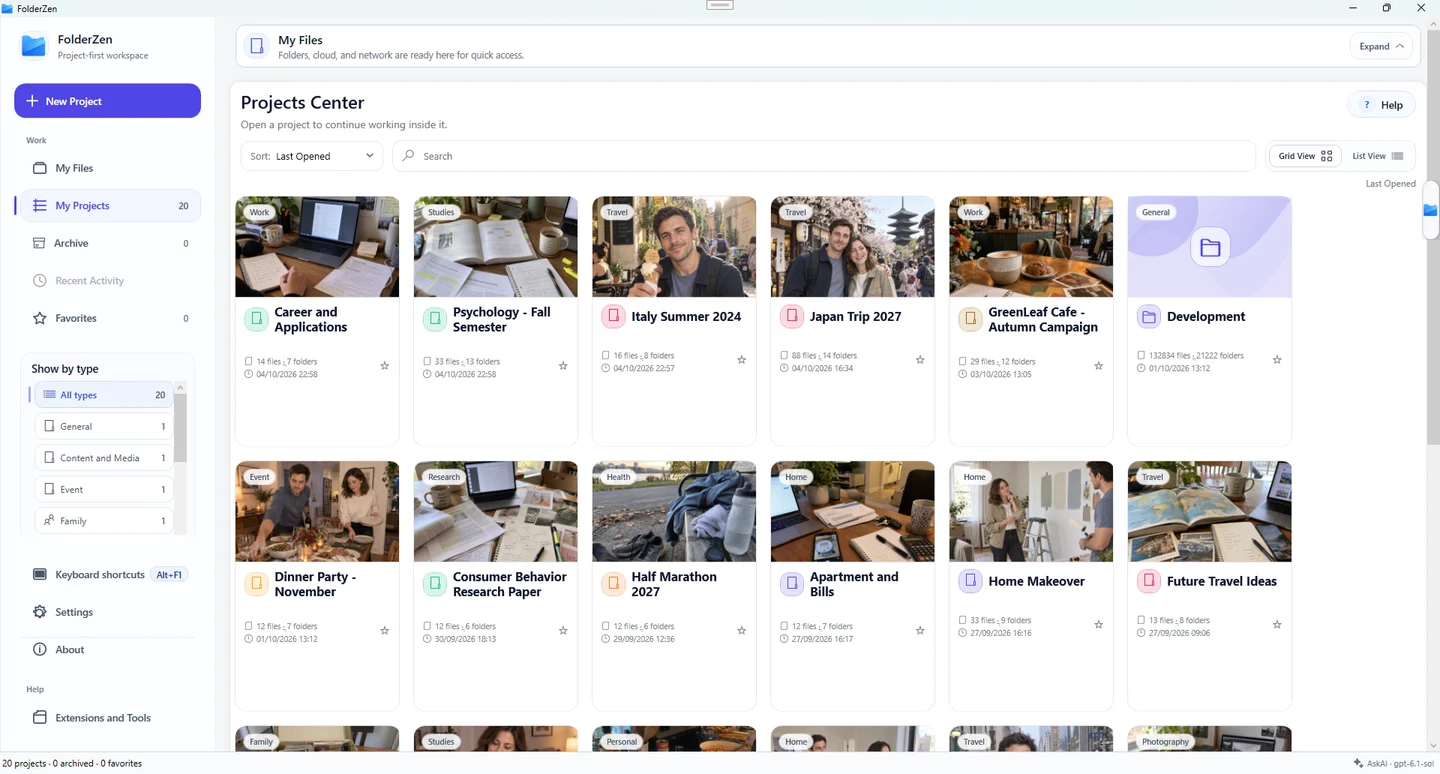
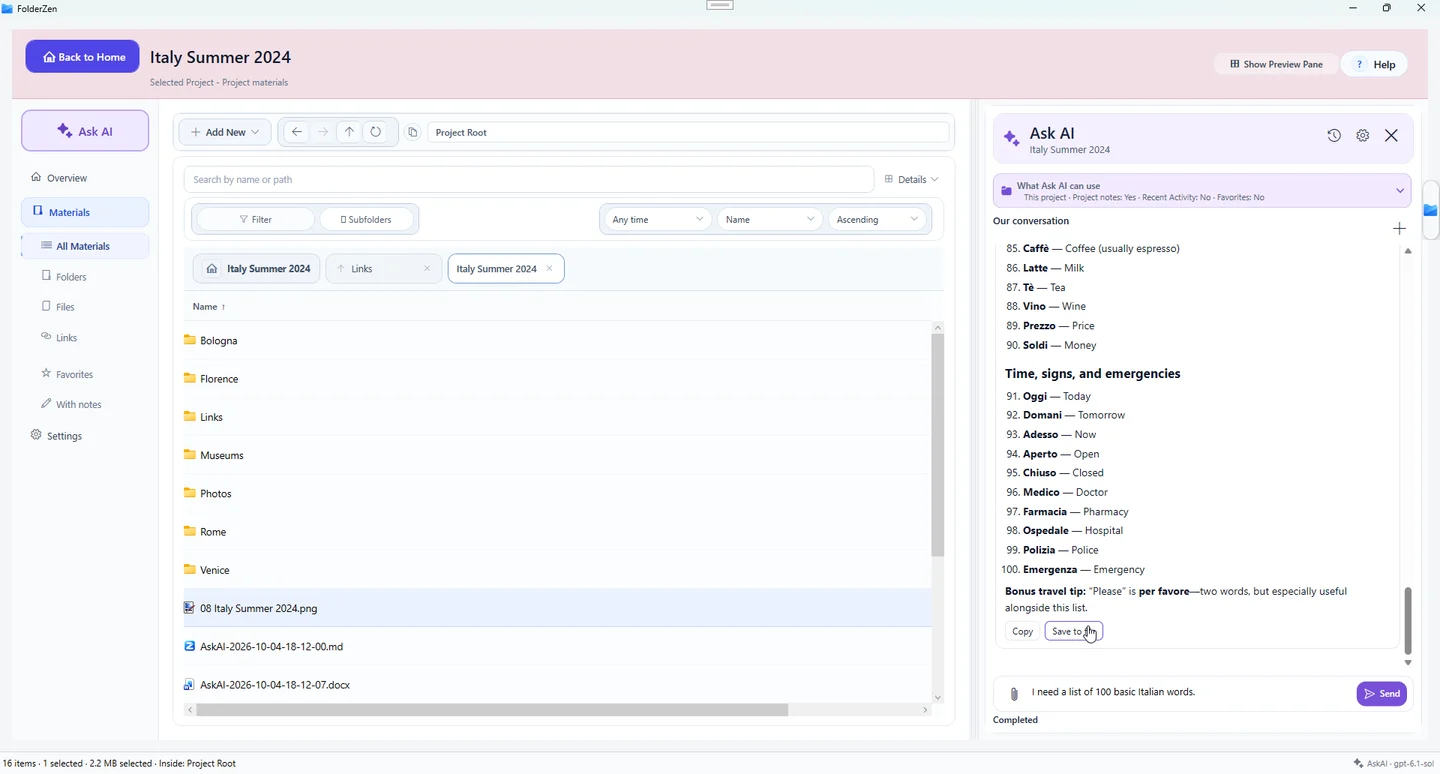
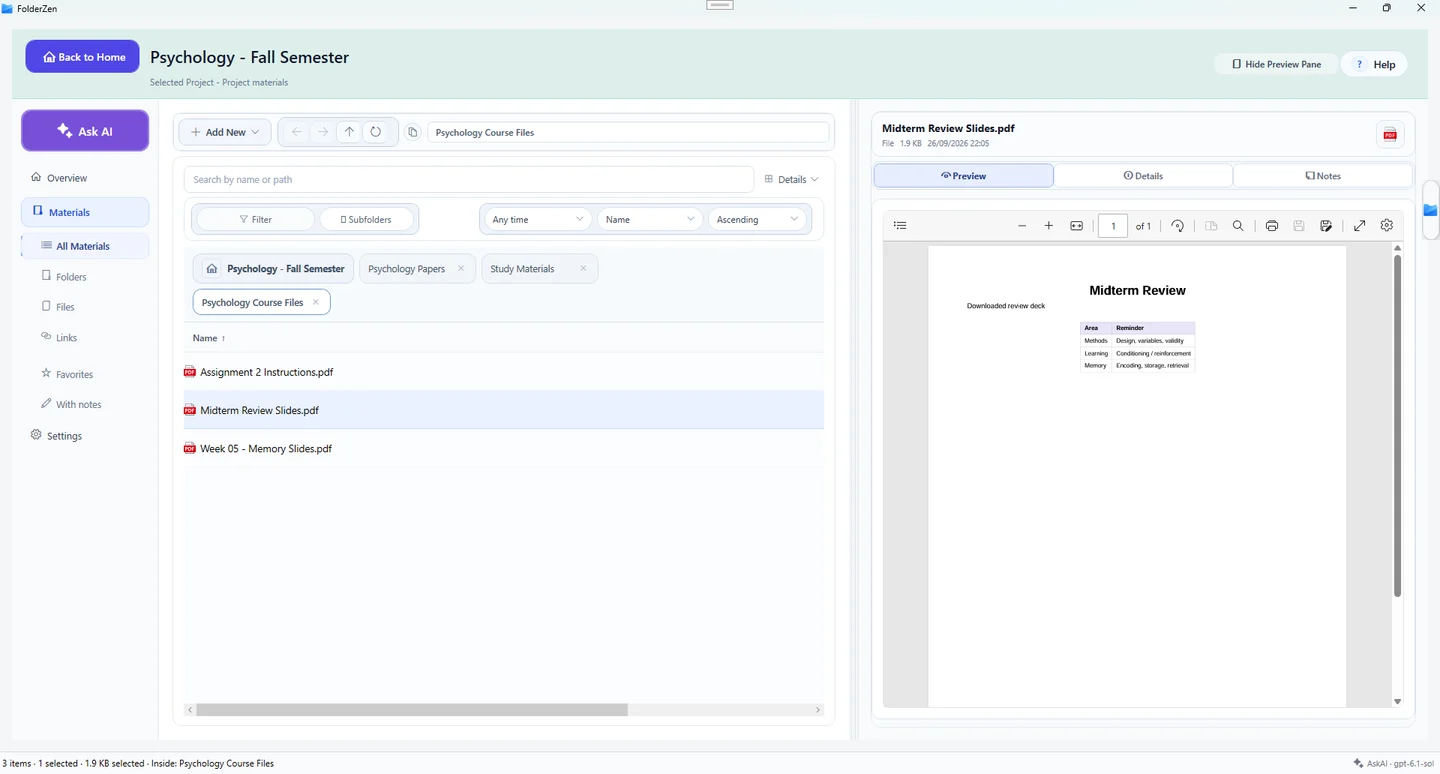
Seen in the supplied build images
Earlier build images show a projects view, a detailed file list and document previews. Release capabilities are still to be confirmed.
How project context fits alongside your existing files.
The project-first design brings materials together logically. File handling, including what happens when items move or are removed, needs confirmation in the release build.
File Explorer starts with storage locations. ZenFolder starts with the project you’re working on.
Use File Explorer for everyday file management. ZenFolder is designed around returning to the materials for a project.
The focus is organizing project materials. Use your existing tools for assignments, budgets and team planning.
Availability for Windows desktop is awaiting confirmation.